Visualizing Urban

Development Through AR

Case Study

10 minute read

Overview

During a 2-week sprint at CGI, I took an early-stage concept for AR-powered urban development visualization and translated it into a tangible product direction. The concept had existed before I arrived, but no screens had been made yet. The opportunity was clear: construction projects are invisible to the communities they affect until it's too late to meaningfully engage. This case study covers how that concept became a defined product direction, from core user flows to high-fidelity mockups, within an extremely tight timeline.

Role: UI/UX design, concept refinement (internship)

Scope: Concept-to-mockups · 2-week sprint

Opportunity: Make invisible urban development visible before construction begins.

Impact: Translated an abstract concept into actionable design artifacts and visual direction.

To-Do

Functionality Questions

Features

Subfeatures

Question

Question

Question

Question

Feature

Feature

Feature

Subfeature

Subfeature

Task

Task

Task

Feature Planning

Before any screens were designed, the work started in FigJam. With a 2-week timeline and no existing product documentation, mapping out the full scope of the app was the first priority. The planning board, lovingly titled "Welcome to Sticky Hell," became the foundation everything else was built from.


The structure broke down into four layers. To Do's captured the immediate sprint priorities and tasks. Questions tracked open functionality problems that needed answers before design decisions could be made — things like how to verify residents, who moderates the forum, and whether companies would need accounts. Features listed the core product areas at a high level. Sub-features broke each one down further, with notes capturing assumptions, edge cases, and ideas worth revisiting.


Working through the board surfaced how much genuine ambiguity existed in an early-stage concept. Many of the questions were never fully resolved within the sprint, but documenting them clearly meant nothing was lost and any future work on the product has a defined starting point.

AR Scan-to-Visualize Interaction Design

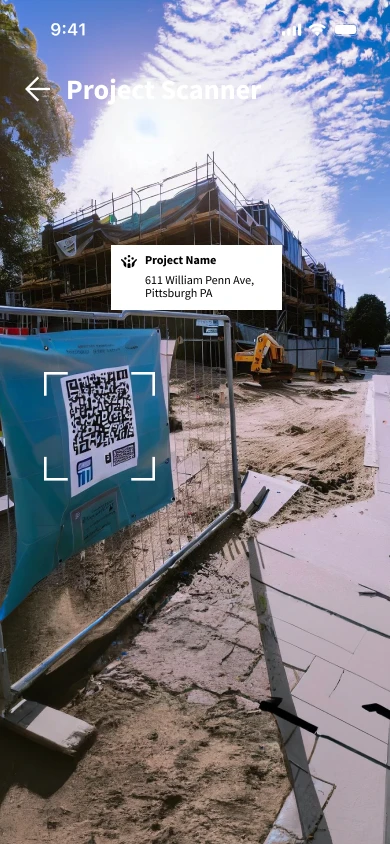
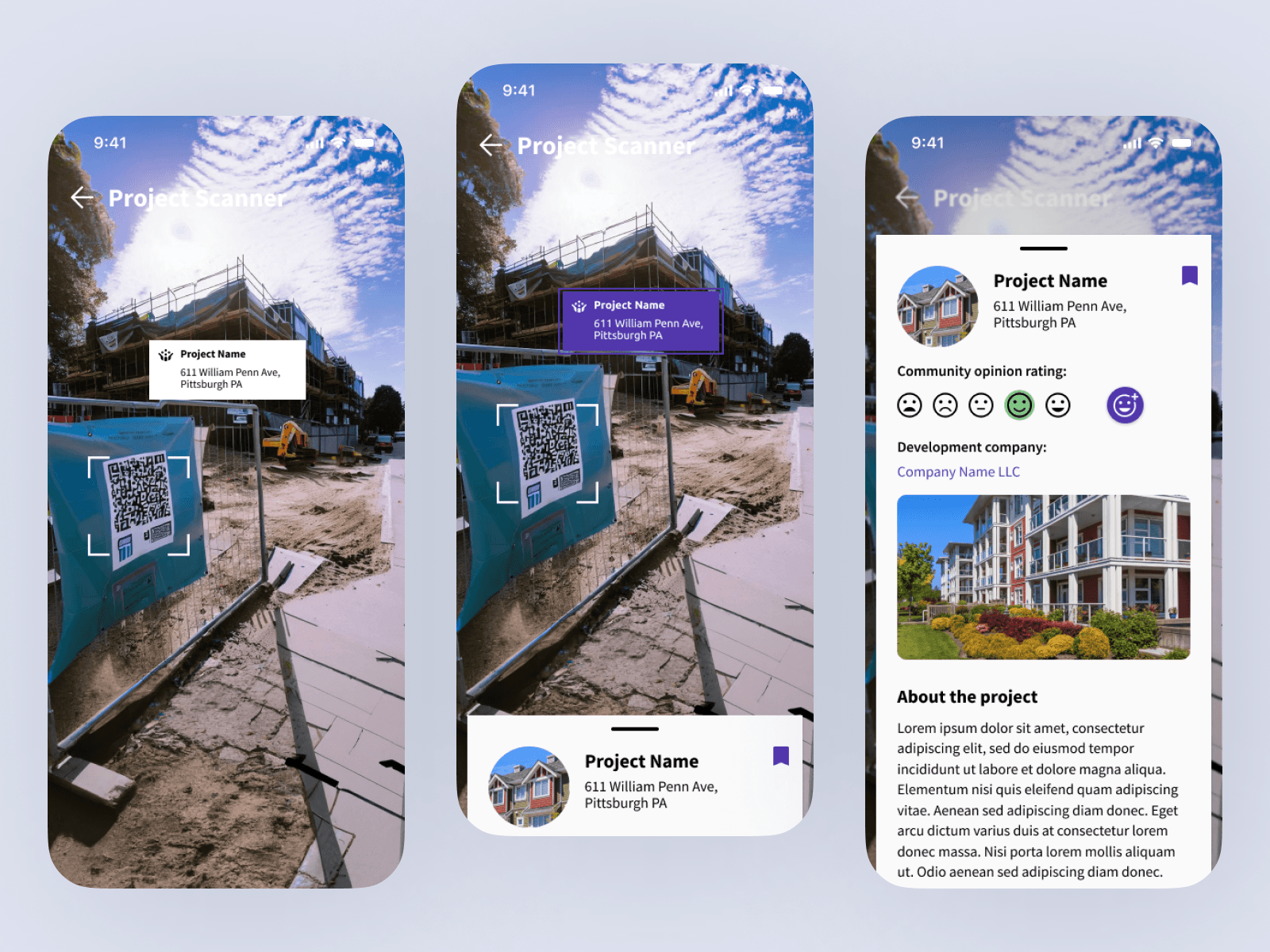
The core interaction was designed around a simple real-world scenario: a person walking through a city notices a construction site and wants to know what's being built. If they already have the app, pointing their camera at the QR code on the site triggers the experience immediately. If they don't, scanning the code first routes them to download the app before continuing. Either way, the entry point lives in the physical world.


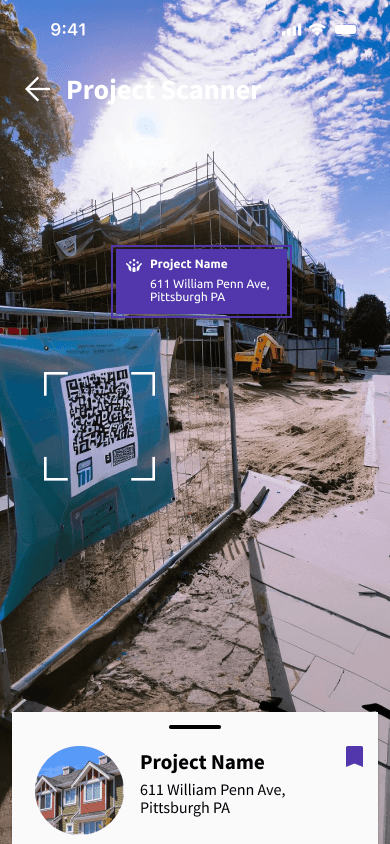
Once the code is recognized, a frame appears around it to confirm the app has picked up information, and a white card surfaces with basic project details like the name and developer. Tapping the card selects it, turning it purple to indicate activation, at which point the 3D rendering of the future building appears overlaid on the physical site in real time. An info card peeks up from the bottom of the screen simultaneously, available to interact with without interrupting the AR view. For users who want to go deeper, tapping into the rendering transitions them to a traditional screen experience where they can swipe, zoom, and explore the model in detail.


One challenge identified within the sprint was text legibility in variable lighting conditions. White text readable in shade can disappear against a bright sky. A full solution would require testing different text colors across lighting scenarios, something scoped as a next step beyond the 2-week timeline.

Community Forum

& Information Hub Interface

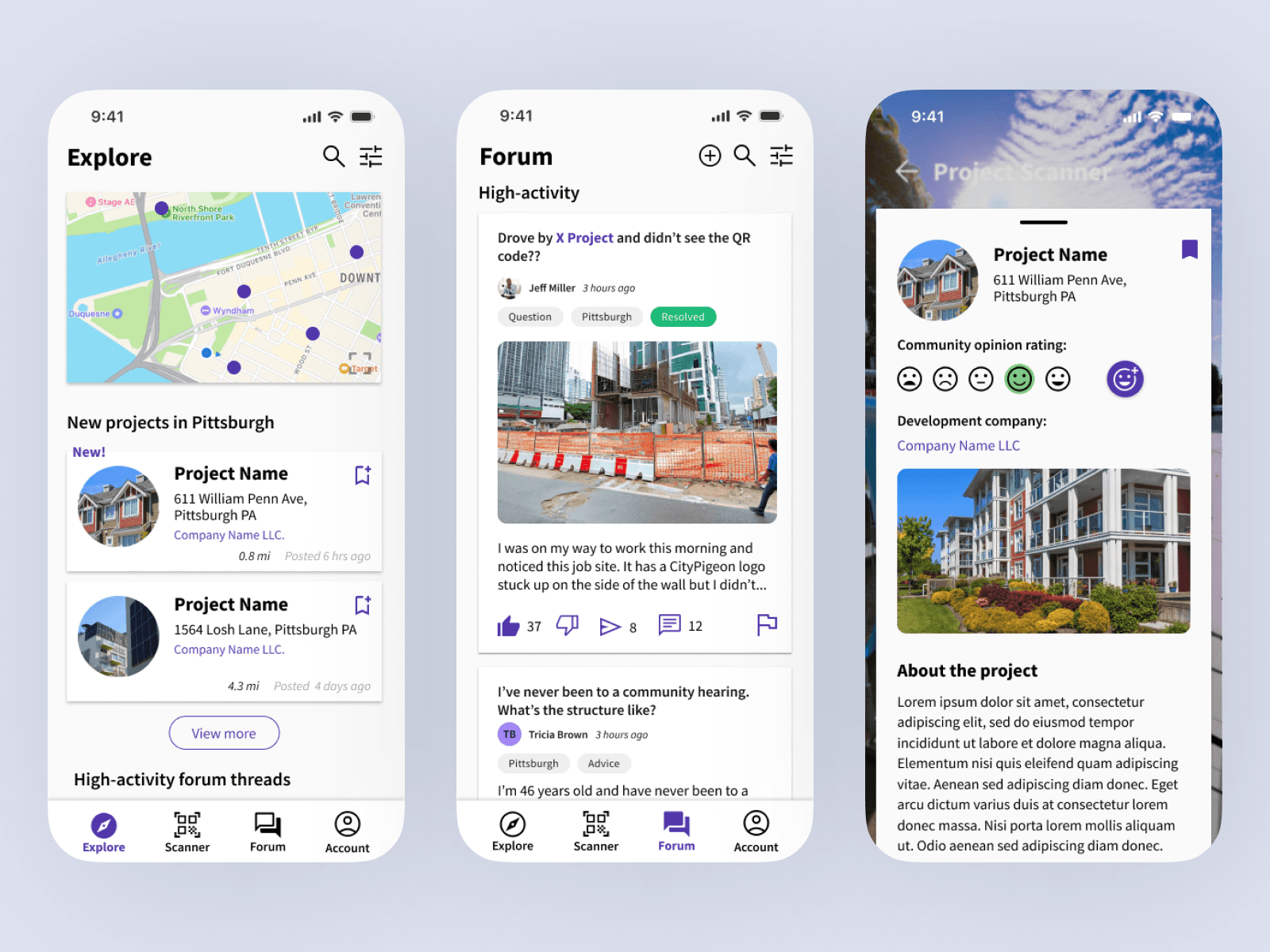
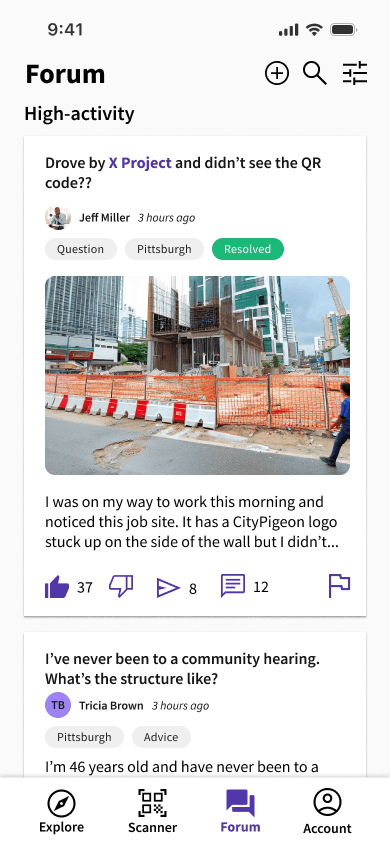
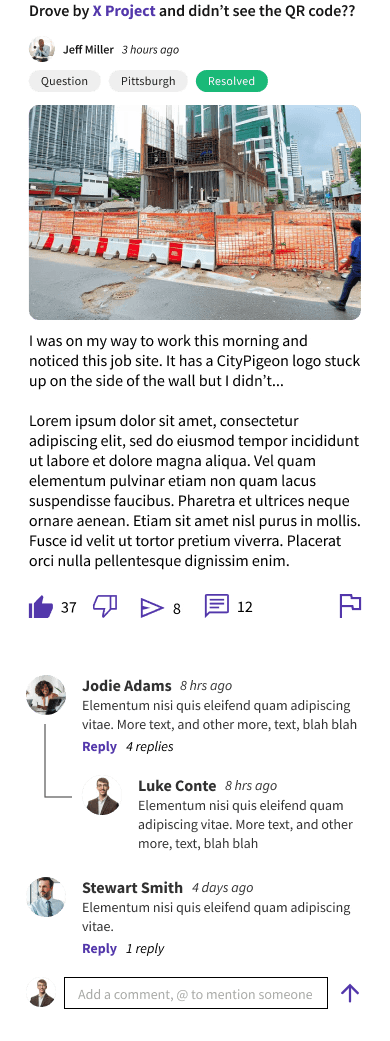
The community side of the app was designed around a simple premise: residents should have a real voice in the development happening around them. The forum gave general public users the ability to post, comment, vote, and report, with each post linkable directly to a specific project. The thread structure was modeled on Reddit's familiar format, reducing the learning curve for a new platform. A resident verification layer was also considered, ensuring that feedback came from people actually affected by a project rather than outside voices.


Each project had a dedicated page surfacing information in a deliberate order. At a glance, users could see the project name, site address, a community rating acting as a quick emotional read on how residents felt about the development, and a project description. Scrolling deeper revealed direct comments, followed by associated forum posts pulling from the broader community discussion. Users could save project pages and return to them later, keeping relevant developments within easy reach.


The AR experience and the forum were functionally separate but loosely connected. Popular forum posts linked to a project would surface as suggestions within the AR view, creating a light bridge between the two without forcing them together.

Core User Flows

& Navigation Structure

The app was structured around four bottom navigation tabs: Explore, Scanner, Forum, and Account. Each served a distinct purpose while staying connected through shared project pages. A user could arrive at a project from any direction — scanning a QR code in the physical world, discovering it through the map on Explore, or following a link from a forum post. The entry points were different but the destination was the same.


The navigation was designed outward from the AR experience. Scanner was the core interaction the product was built around, with Explore, Forum, and Account filling in the gaps around it. Explore handled accessibility, giving users who never passed a job site the ability to find and browse projects through a map view, alongside new projects and trending community posts. Forum was dedicated entirely to user-generated discussion. Account was scoped but not fully defined within the sprint.


One significant limitation worth acknowledging is that the AR visualization itself was designed without full clarity on what the technology could actually deliver. The interaction was designed around an idealized version of the experience, and a real implementation would require close collaboration with developers to understand what was technically feasible before committing to the flow.

You've reached the end!

Thank you for reading!

Contact me

lukeconte2@gmail.com

Copyright Notice

All content on the Site, including text, graphics, logos, images, and software, is the property of Luke Conte and is protected by intellectual property laws. You may not use, reproduce, or distribute any content from the Site without my express written permission.